Key Takeaways
GPT Image 2.5 (released September 8, 2026) currently ranks at or near the top of independent blind-preference leaderboards for overall quality, complex prompt following, and text rendering.
It ships as two API models: Flare (faster, high-volume default) and Sunburst (higher precision for multi-turn editing and final creative work). Both share the same token pricing.
The biggest practical upgrade over GPT Image 2 is multi-turn editing consistency — changes stay localized and subjects survive repeated refinements far better than before.
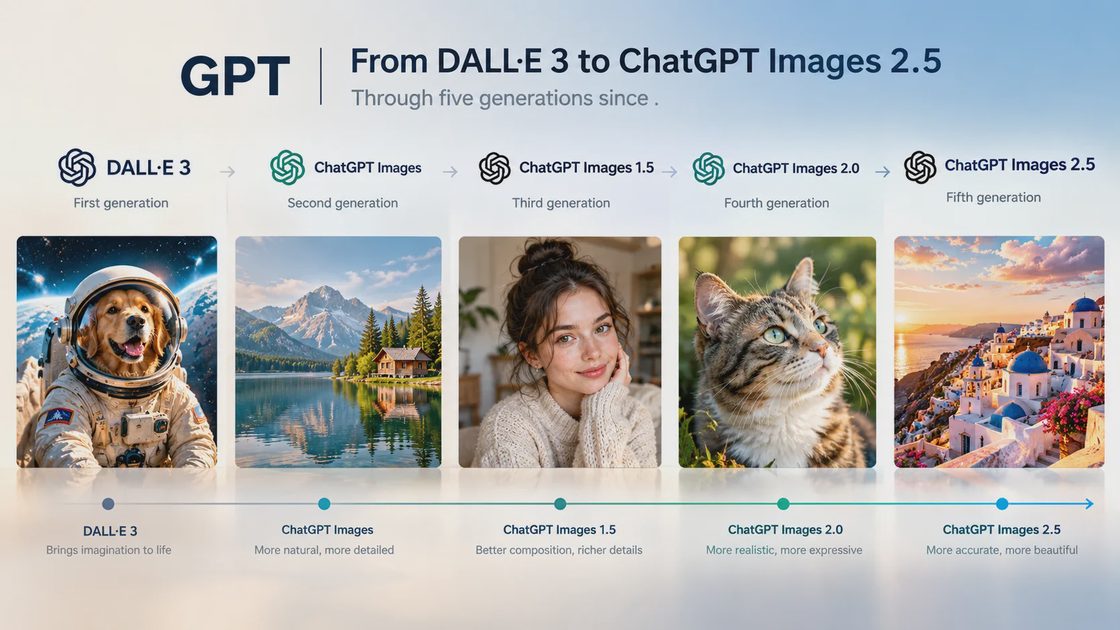
When OpenAI launched GPT Image 2.5 on September 8, 2026, the company positioned it as a meaningful step forward in natural lighting, subject preservation from references, and multi-turn editing reliability — with latency reduced by up to 50% versus the previous generation. In the months since, independent arenas and production teams have largely confirmed those claims. It is currently the model most often recommended as the default generalist when quality and instruction-following matter more than pure unit cost.
This deep dive is written from the perspective of real use: marketing assets, product imagery, social content, and iterative creative work. It focuses on what the model actually does well (and less well) once you move past the first impressive demo. For the broader competitive landscape, see our year-end ranking of the best AI image generators of 2026.

Flare vs Sunburst: Which One to Use
OpenAI split the API into two models that share the same underlying capabilities and pricing but optimize for different points on the speed–precision spectrum.
Aspect | GPT-Image-2.5 Flare | GPT-Image-2.5 Sunburst |
|---|---|---|
Primary role | Default for everyday and high-volume work | Precision generation and multi-step editing |
Best for | Social content, product variants, rapid prototyping, visual search | Campaign heroes, packaging with copy, final polished assets |
Latency | Significantly faster (up to 50% lower than GPT Image 2) | Longer generation time |
Editing behavior | Very good | Strongest multi-turn consistency |
Pricing | Identical token rates ($8/M image input, $30/M image output) | |
In practice the decision is simple: start with Flare for most generation and light editing. Move to Sunburst when a reviewer will zoom in, when an edit must survive three or four further rounds, or when the final asset carries brand or client risk. Because the token cost is the same, the only real trade-off is time.
Where GPT Image 2.5 Actually Excels
Complex Prompt Following
The model is unusually good at absorbing long, multi-part instructions and turning them into coherent images. Layered constraints (exact composition + specific lighting + multiple text elements + style references) that used to require several rounds of negotiation now often land correctly on the first or second try. This is one of the main reasons it sits at the top of many preference rankings: it wastes less of the user’s time.
Text Rendering and Layout
Readable text inside images has been a long-standing weakness of generative models. GPT Image 2.5 is among the strongest current options for posters, menus, packaging mockups, social graphics with headlines, and UI concepts. Multi-line text, mixed font weights, and precise placement are handled more reliably than most competitors. It is not perfect — very dense small type or highly stylized lettering can still break — but the failure rate is low enough for production use in many cases. For pure typography specialists, Ideogram 4.x remains a strong alternative, but GPT Image 2.5 closes most of the gap while offering better overall scene quality.
Multi-Turn Editing Consistency
This is the clearest practical upgrade. Earlier models frequently “drifted” during successive edits: change the shirt color and the face subtly morphs; adjust the background and the product shifts position. GPT Image 2.5 is markedly better at changing only what is requested while leaving the rest of the image stable. Independent tests measuring pixel change outside the edit region show very low unwanted alteration. For anyone who works iteratively inside ChatGPT or via the API, this alone justifies the upgrade from previous versions.
Reference Handling and Subject Preservation
When you supply a reference photo of a person, product, or scene, the model does a better job of keeping the subject recognizable across new settings, styles, and compositions. Lighting and textures also feel more natural than the previous generation. Combined with the improved editing behavior, this makes character-consistent or product-consistent series more practical than before.
Where It Still Falls Short
Pure Photoreal Portrait Naturalism
In side-by-side tests focused purely on candid photographic realism (skin texture, subtle imperfections, unretouched lighting), the highest tiers of Google’s Nano Banana series frequently look more like real photographs. GPT Image 2.5 can produce slightly over-sharpened or “editorial retouch” skin that reads as high-end commercial photography rather than documentary realism. For lifestyle campaigns that need maximum photographic authenticity, many teams still keep Nano Banana as a secondary option.
Cost at Peak Quality
At the “max” quality setting a 1024×1024 image can cost around $0.21. Medium and high settings are more affordable, but teams generating hundreds of variants notice the difference versus cheaper models that land in the $0.03–0.07 range. The counter-argument is that fewer retries often offset the higher unit price; the effective cost of a usable final image can still be competitive. For pure high-volume, low-stakes work (social variations, internal concepts), the economics favor other tools.
Content Filters and Creative Constraints
OpenAI’s safety systems remain relatively strict. Certain aesthetic directions, body types, or edge-case creative briefs that other models handle without issue can be refused or heavily altered. This is rarely a problem for mainstream commercial work, but it can frustrate illustrators and concept artists working in more experimental territory.
Cumulative Edit Degradation
While single and multi-turn edits are more stable, pushing an image through many successive refinements can still gradually increase sharpness, saturation, and a slightly synthetic feel. For long iterative chains it remains wise to return to a clean base generation occasionally rather than editing the same file indefinitely.
Pricing and Access in Practice
API token rates (identical for Flare and Sunburst):
Text input: $5 / 1M tokens
Image input: $8 / 1M tokens ($2 cached)
Image output: $30 / 1M tokens (batch roughly half)Approximate cost for a 1024×1024 image ranges from roughly $0.006 (low quality) to about $0.21 (max quality). Quality settings available: low, medium, high, xhigh, max, and auto.
Inside ChatGPT the model is available across Free, Plus, and higher tiers with the usual rate limits. There is no separate “image credit” system; usage counts against the plan’s overall capacity. For production teams the API is usually the cleaner path because it gives explicit control over Flare vs Sunburst and quality settings.
Real Workflow Recommendations
When GPT Image 2.5 Should Be Your Default
Any image that must contain accurate, readable text
Complex multi-constraint briefs (composition + lighting + text + style)
Iterative editing where the subject and layout need to stay stable
Product and packaging mockups that require precise layout control
Conversational refinement inside ChatGPT
When to Reach for Something Else
Maximum photographic naturalism in portraits → Nano Banana Pro
Distinctive artistic style and mood → Midjourney V8.2
High-volume, cost-sensitive generation → Nano Banana faster tiers or FLUX open-weight options
Native vector / brand-system work → Recraft
Enterprise indemnity requirements → Adobe Firefly under the appropriate contract
Most experienced teams keep two or three models active. GPT Image 2.5 functions well as the primary generalist and text specialist, with a secondary model for pure photoreal or pure aesthetic direction. Our broader comparison of these trade-offs lives in the 2026 ranking of best AI image generators.

Prompting Notes That Matter in Practice
GPT Image 2.5 responds well to clear, structured language. Overly poetic or vague prompts still underperform. Explicit layout instructions (“headline centered at the top in bold sans-serif, subhead left-aligned below it”) produce better text results than leaving placement to chance. When editing, state the change and the constraint in the same sentence: “Change only the shirt color to navy blue and leave the face, background, and lighting unchanged.” The model is good at localized edits; giving it explicit permission to leave everything else alone reduces drift further.
Reference images work best when the subject is clearly isolated and the lighting is reasonably neutral. Extreme angles or heavy stylization in the reference can reduce fidelity. For series work, generating a strong base image first and then iterating with careful edit prompts usually produces more consistent results than regenerating from scratch each time.
Commercial Rights Snapshot
Under OpenAI’s current terms, users generally own the output. Eligible API and ChatGPT Enterprise / Business plans include copyright indemnity for unmodified output, subject to standard exclusions (trademark claims arising from commercial use, modified or combined outputs, disabled safety features, etc.). As always, confirm the exact language for your plan and use case before large commercial deployments.
Bottom Line
GPT Image 2.5 is the strongest general-purpose image model available to most users in late 2026. Its combination of complex prompt adherence, text reliability, and multi-turn editing consistency makes it the practical default for a wide range of professional work. It is not the absolute best at pure photographic naturalism, nor the cheapest at high volume, and it is not the most distinctive artistic tool. Those jobs still belong to specialists.
If you need one model that handles the majority of real briefs with minimal friction, this is currently the safest recommendation. Keep a secondary option for the edge cases it does not own, and the overall system becomes both high-quality and resilient.
Explore the Full Cluster
Deep dives, real-project notes, and practical prompt systems for every major model in the 2026 ranking.
Google’s Nano Banana Series Tested: Speed, Consistency, and Value in 2026
Midjourney V8.2 After Months of Daily Use: Still the Style King?
Grok Imagine Image 2.0: Cinematic Results and Where It Actually Shines
Ideogram 4.x for Text-Heavy Images: Posters, Logos, and Layouts
Seedream 5 in Practice: Commercial and Design Work Outside the Usual Suspects
Recraft for Brand Work: Vectors, Consistency, and Design Systems
Prompts That Actually Work Across GPT Image, Nano Banana, Midjourney & FLUX
What I Learned Running These Models for Real Projects All Year
For AI tool features, rules and availability, refer to their official sites.

Leave your thoughts here, too.