The Problem with Most Office Prompts
Most of the requests I get at work are three words long.
"Can you update this?"
"Need a summary."
"Follow up with them."
That's it. That's the whole request. No context, no format, no deadline, no indication of what "done" looks like. And I'm supposed to turn that into something usable by end of day.
When I first started using AI tools for these tasks, I made the same mistake most people make. I typed the vague request into the tool and hoped for the best. The output was usually generic. Sometimes it was wrong. Often it needed more editing than writing from scratch would have taken.
Then I started structuring my prompts. Not with fancy prompt engineering. Just with the five pieces of information any request is missing.
Here's the structure I use now.
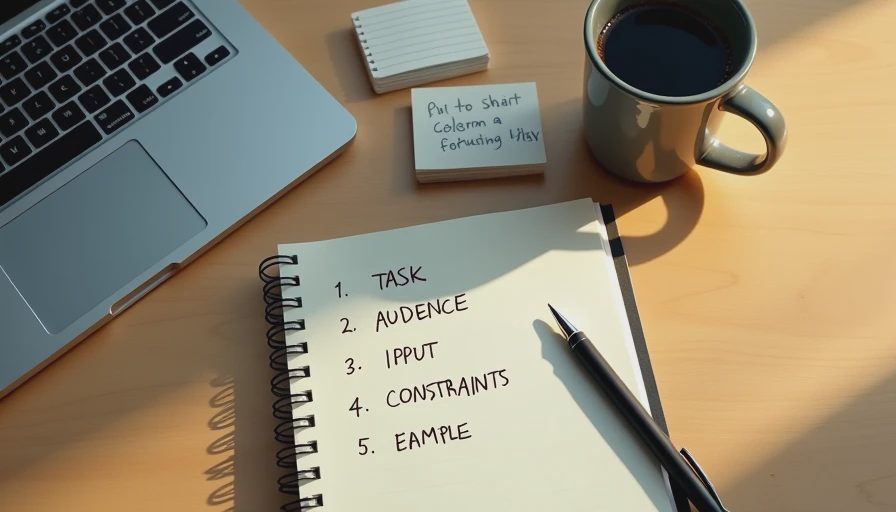
The Five Parts
Every prompt I write for a messy office task has five parts. I write them in the same order every time. It takes about 90 seconds.
Part 1: The task. What am I actually trying to produce? A summary? A draft? A list? A reply? One sentence.
Part 2: The audience. Who is this for? My manager? A vendor? A customer? A coworker? Different audiences need different tones and different levels of detail.
Part 3: The input. What am I starting with? A messy email thread? A raw meeting recording? A spreadsheet export? A short note in my phone? I paste the actual input, redacted where needed.
Part 4: The constraints. How long should the output be? What format? What tone? What should it avoid? These are the guardrails that keep the output usable.
Part 5: The example. What does a good version look like? If I have a past example, I paste it. If I don't, I describe one in two sentences. This is the part most people skip, and it's usually the part that changes the output the most.
A Real Example
Here's a real task from last week.
The request from my manager: "Can you send the vendor a quick update?"
That's all I got. Three words of instruction. Here's how I turned it into a five-part prompt.
Part 1: The task. Write an update email to the vendor.
Part 2: The audience. The vendor's account manager, who I've worked with for two years. Professional relationship. Not a new contact. Not a formal client.
Part 3: The input. Here's the messy thread of notes I'd been keeping in a document. It contains: the shipment status, the revised delivery window, and the customer-facing impact.
Part 4: The constraints. Under 150 words. No subject line needed—I'll add that myself. No "just checking in" or "circle back." End with a clear ask for written confirmation of the new window.
Part 5: The example. Here's a past email I sent to the same vendor, in the same tone. Match that structure and level of directness.
Then I asked for a draft.
The Output
The AI returned a draft in about 10 seconds.
It was close. Closer than anything I'd gotten from a three-word prompt. The structure matched my example. The tone was right. The ask was clear. The length was 140 words.
But it needed two edits. The first sentence assumed the vendor had already seen the revised window, which they hadn't. And it used the phrase "as we discussed," which implied a conversation that hadn't happened.
I fixed both. That took about 3 minutes.
What Still Needed My Attention
Even with a five-part prompt, the draft wasn't finished.
The assumption about context. The AI assumed a shared conversation that didn't exist. That's a common failure with vendor emails. I have to check for assumed context every time.
The missing detail. The AI didn't know the customer's name or the specific order number. Those are details I add manually.
The relationship nuance. The AI didn't know that this vendor had been slow to respond for the past month. I softened one sentence to avoid making the email feel like a complaint.
The final read. I read it out loud before sending. That's a check no tool does for me.
Why This Structure Works
A few reasons.
It eliminates the guessing. The AI doesn't have to assume what format, tone, or length I want. It's all in the prompt.
It's faster than starting from scratch. Writing the five-part prompt takes about 90 seconds. The output saves me 5-10 minutes of first-draft time. The net savings are real.
It's repeatable. I use the same structure for every messy task now. I don't have to invent a new prompt each time.
It works across tools. I've tested this structure with three different AI tools. The output quality varies, but the structure works everywhere.
It surfaces the gaps. When I can't write the example section—because I don't have one—I realize I don't actually know what "good" looks like for that task. That's useful information before I write the email.

What I Don't Do
A few things I've learned to avoid.
I don't skip the example. If I don't have an example, I write one. Two sentences is enough. Without it, the output is generic.
I don't ask for the whole thing at once. If a task has multiple parts—draft, subject line, follow-up—I do them in separate prompts. One prompt per output.
I don't include confidential information. I redact names, numbers, and anything that identifies a person or client. Then I add those details back manually.
I don't trust the first output. Every draft gets read. Every draft gets one edit pass. That's the rule.
The Limitation
This structure doesn't fix everything.
It works for tasks with a clear output—an email, a summary, a list. It doesn't work for open-ended tasks where the goal itself is unclear. For those, I have to think first, then prompt.
It also doesn't fix bad inputs. If my notes are wrong, the output is wrong. The structure makes the input visible, but it doesn't make it correct.
And it doesn't replace judgment. The AI can produce a draft that looks right but isn't. The final call is still mine.
Test it in real life.
No comments yet.