The Confidence Problem
I've been burned by confident AI answers.
Not by answers that looked uncertain. Not by answers that hedged. By answers that sounded completely sure and were completely wrong.
The one that stuck with me was the fuel surcharge table. The AI gave me four tiers with clean formatting and a note saying "current as of 2024." All four tiers were wrong. It didn't say "I'm not sure." It didn't say "please verify." It just gave me a table that looked real.
That experience changed how I prompt. I stopped asking AI to answer. I started asking AI to tell me what it doesn't know.
Here's the structure I use now.
Why AI Guesses
The AI doesn't guess because it's lazy. It guesses because of how it works.
The tool is trained to produce answers. When you ask a question, it produces the most likely answer based on patterns it has seen. It doesn't check whether the answer is true. It doesn't know whether the answer is true. It just produces the most probable response.
If I ask about a specific company's current policy, the AI doesn't have that policy. It has patterns from other documents. It produces something that sounds like a policy. But it's not the policy.
The problem isn't that the AI lies. The problem is that the AI doesn't have a reliable way to say "I don't know this." So it produces something that looks like an answer instead.
My job as the prompter is to give it a way out.
The Prompt Structure
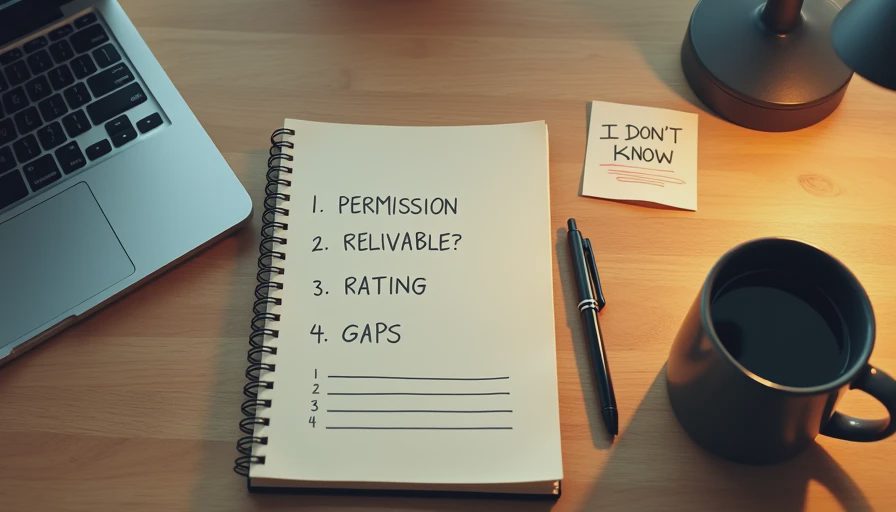
I use four lines to make the AI admit uncertainty. Each one does a specific job.
Line 1: State what you actually need.
"If you don't have reliable information about this, say so. Do not guess."
This is the permission line. It tells the AI that "I don't know" is an acceptable answer.
Line 2: Define what counts as reliable.
"Reliable means a specific source, a specific document, or a specific date. If you can't point to one, mark the answer as unverified."
This is the evidence line. It tells the AI what "reliable" means, so it can't just say "I'm confident."
Line 3: Ask for a confidence rating.
"Rate each answer on a scale of 1 to 3. 1 means you have a specific source. 2 means you have general knowledge but no specific source. 3 means you are guessing."
This is the structure line. It forces the AI to sort its answers into three buckets. Guesses go in bucket 3. I don't use bucket 3 answers.
Line 4: Ask for gaps.
"After your answer, list what you don't know. What questions can you not answer reliably?"
This is the gaps line. It gives the AI a place to put uncertainty instead of hiding it in the answer.
A Real Example
Let me show you how this works.
The task: I needed to know the current requirements for a local business permit in a nearby city. Not our city—one where we'd started shipping.
The prompt:
"Tell me the current requirements for a local business permit in [city]. If you don't have reliable information about this, say so. Reliable means a specific source, a specific document, or a specific date. Rate each answer on a scale of 1 to 3: 1 means specific source, 2 means general knowledge without a specific source, 3 means you are guessing. After your answer, list what you don't know."
The response:
The AI gave me an answer. But it rated it as a 3. It said:
"Local business permit requirements vary by city and county, and I do not have access to [city]'s current code. The general categories for such permits are typically [list of categories], but I cannot confirm which apply to your specific situation. I do not know: the specific fee structure, the current processing time, or whether the city has updated its requirements in the past 12 months."
That was exactly what I needed.
I didn't get a permit answer. I got a map of what the AI didn't know. And that map told me exactly what to look up on the city's website.
I found the actual requirements in about 8 minutes. The AI's answer saved me from guessing and gave me a checklist of what to search for.

What the Prompt Does Well
A few things.
It gives the AI permission to be uncertain. Without this prompt, the AI defaults to answering. With it, the AI has a place to put uncertainty.
It separates facts from guesses. The 1-3 rating makes uncertainty visible. I can scan the answer and immediately see which parts are solid.
It produces a gap list. The gaps section is the most useful part. It tells me what I need to look up, instead of making me find that out by discovering the AI was wrong.
It works on every tool I've tested. I've used this structure on ChatGPT, Claude, and Gemini. All three respect it. They all produce a rating and a gap list when I ask.
It changes how I read the answer. With a rating, I read differently. A 1 gets used. A 2 gets checked. A 3 gets thrown out.
What Still Needed My Attention
The prompt doesn't eliminate the work. It just makes the work visible.
I still have to verify 1-rated answers. Even a source-backed answer can be wrong. The source might be outdated or misquoted. I check every 1-rated answer anyway.
I still have to find the missing information. The gap list tells me what to look up. It doesn't look it up for me.
I still have to decide whether the answer is usable. A 2-rated answer might be fine for a low-stakes task and unusable for a high-stakes one. That's my call.
I still have to watch for false confidence. Sometimes the AI rates something as a 1 when it's really a 2. It might have seen a source in its training and remember it as a source, even if the source is old or thin. I watch for that.
A Test I Ran
I tested this prompt against a plain version of the same question to see if the structure actually changed the output.
Plain prompt: "What are the current requirements for [thing]?"
Result: The AI gave a 6-item list with no sources, no ratings, and no gap list. Every item was stated as fact.
Structured prompt: Same question plus the four-line structure.
Result: The AI gave a 4-item list. Three items were rated 2, one was rated 3. The gap list had four items. The AI explicitly said it could not confirm the current requirements.
Same tool. Same question. Different answer.
The plain version gave me a confident answer that I would have needed to verify entirely. The structured version told me what the AI actually knew, what it was guessing, and what it couldn't confirm.
That's the difference.
What I Don't Do
A few things I've learned to avoid.
I don't ask for "just tell me if you're sure." The AI will always say it's sure. That phrase doesn't work.
I don't ask for a single confidence score at the end. "How confident are you in this answer?" produces a single number that doesn't tell me which parts are solid. Per-item ratings work better.
I don't use this prompt for everything. For a brainstorm or a rough draft, I don't need ratings. This structure is for factual questions with real consequences.
I don't skip the gap list. The gap list is the most useful part of the output. If I'm short on time, I read the gaps first.
The Limitation
This prompt helps. It doesn't solve the problem.
The AI can still be wrong on a 1-rated answer. It can still rate a guess as a 2 when it's really a 3. It can still miss gaps. It's better than nothing, but it's not a guarantee.
The prompt also takes longer to write. Four lines of structure add about 30 seconds to each prompt. For a single question, that's a real cost. For a repeating question, it's worth setting up a template.
And the prompt doesn't work for every task. Creative tasks, brainstorming, and drafting don't benefit from ratings. This structure is for factual questions where being wrong matters.
What I've Learned
The default behavior of AI tools is to answer. My job is to give them a way to say "I don't know."
Four lines. State what you need. Define reliable. Ask for a rating. Ask for gaps. That's it.
The output isn't perfect. But it's honest. And honest output is more useful than confident output—especially when the confident output is wrong.
Test it in real life.
No comments yet.