Why Paper
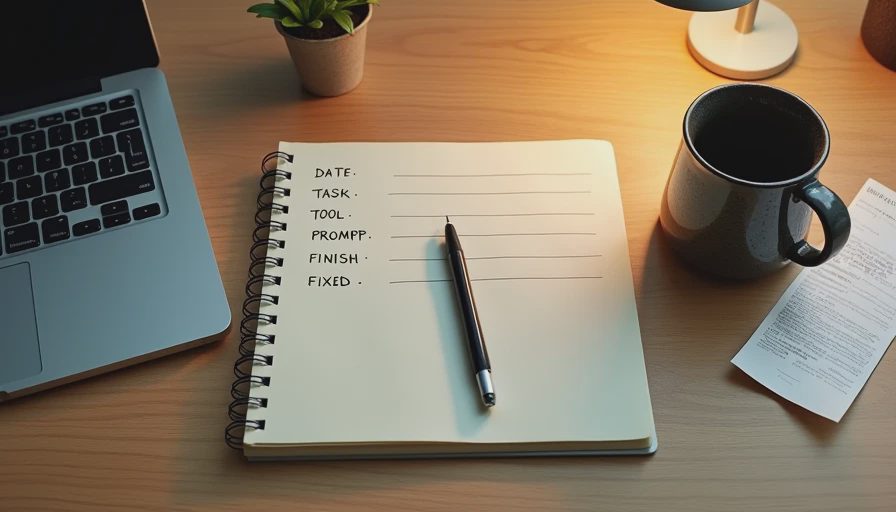
I keep a paper notebook beside my keyboard.
It's nothing special. A spiral notebook I picked up at an office supply store for about four dollars. The cover is worn. There are coffee stains on the edges. The pages are dog-eared. A pen is always tucked into the spiral.
I started using it about a year ago, after I got burned by an AI tool that confidently gave me wrong information. I realized I had no record of what I'd tested, what the tool had said, or how long it had taken. When I needed to explain the mistake to my manager, all I had was my memory.
That's not good enough. So I started writing things down.
Here's what I track in every test, and why.
The Seven Fields
Every test gets the same seven entries. They take about two minutes total to write.
1. Date and time. Not just the day. The actual time. "Tuesday 9:14 AM." I write this before I open the tool.
2. The task. One line. What was I actually trying to do? "Draft follow-up email to vendor about late shipment."
3. The tool and version. Not just "ChatGPT." The specific tool, the tier, and the version if I know it. "ChatGPT, free tier, browser."
4. The prompt. Not the full prompt if it's long. The key structure. "5-part prompt with example. Asked for under 150 words."
5. The start time. When did I hit send or start the tool? I write the exact minute.
6. The finish time. When did I have a finished product I was willing to use? Not when the tool stopped generating. When the output was actually ready.
7. What I had to fix. A short list. "Rewrote opening. Cut middle sentence. Fixed one name."
That's it. Seven fields. No more. I tried adding more once—a quality score, a reusability rating, a category tag—and I stopped using the notebook for a week. Too much friction.
A Real Entry
Here's what a real entry looks like from last week.
Date and time: Tuesday, October 14, 9:14 AM
Task: Draft follow-up email to vendor about late shipment
Tool: Claude, free tier, browser
Prompt: 5-part structure. Audience: vendor manager. Constraints: under 150 words, no "just checking in." Example: past email from last month.
Start: 9:14 AM
Finish: 9:26 AM
What I had to fix: Rewrote opening sentence. Adjusted one line about escalation. Changed signature.
Total time: 12 minutes. My baseline for this type of email is about 18 minutes. Saved 6.
That's the whole entry. About 90 seconds to write. And it's enough to reconstruct the test if I ever need to.

Why Not a Spreadsheet
I've tried spreadsheets. I've tried note apps. I've tried a dedicated time-tracking app. None of them stuck.
Here's why paper wins for me.
It doesn't require a new tab. If I have to switch windows to log a test, I won't do it consistently. The notebook is beside the keyboard. I don't have to look away from my screen for more than a few seconds.
It doesn't sync or update. A spreadsheet wants to be maintained. A note app wants to be organized. The notebook just sits there. It doesn't ask for anything.
It's hard to edit. This sounds like a downside. It isn't. When I write something in ink, I can't go back and quietly change it. If I made a mistake in the test, the record shows it. That's the point.
It's the right friction level. A spreadsheet is too easy—I'll type anything. A paper notebook is slightly annoying—I have to actually decide what's worth writing down. That friction keeps me honest.
It's separate from work. My notebook is not in my email. Not in my chat. Not in my calendar. It's a different space. That separation matters.
What I Don't Track
Here's what I've learned to leave out.
Quality scores. I tried rating output quality on a 1-5 scale. The numbers were meaningless. Two tests with the same score weren't actually comparable. I replaced scores with the "what I had to fix" list, which is more specific and more useful.
Subjective feelings. "This felt easier" is not useful data. It's a feeling. I stopped writing it down.
Every small task. I only track tests where I'm evaluating a new tool or a new prompt structure. For routine work, I don't open the notebook at all. Otherwise I'd spend half my day writing.
Results I can't verify. If a tool gives me information I can't check, I mark it "unverified" and move on. I don't try to estimate whether it's probably right. Either I verified it or I didn't.
Competitor comparisons. I used to write down how a tool compared to another tool. That got messy. Now each test stands alone. Comparisons happen later, when I'm writing a post.
Why the Times Matter Most
The two entries I care about most are the start time and the finish time.
The start time is when I begin using the tool. Not when I open the tab. When I actually start the task.
The finish time is when I have something usable. Not when the tool stops. Not when I have a draft. When the output is finished, edited, and ready to be used.
The difference between those two times is the real number. It includes generation time, correction time, and my own editing. It's the honest cost of the tool.
Here's a specific example. Last month I tested a page summarizer. The tool generated a summary in 6 seconds. My log showed 4 minutes from start to finish. That's because I spent 3 minutes 54 seconds reading the summary, checking it against the source, and fixing two dropped caveats.
If I had logged only the generation time, I would have written "6 seconds." That would have been useless. The real number is 4 minutes.
The Honest Number
People ask me why I don't just estimate. Why write down start and finish times for every test?
Because my estimates are wrong. Every time.
I tested this once. I wrote down my estimate for a task before starting it, then wrote down the actual time. My estimates were off by 30-50% consistently. Usually on the optimistic side. I thought a task would take 10 minutes; it took 14. I thought a tool saved 20 minutes; it saved 12.
If I published the estimates, I'd be publishing guesses. The notebook gives me real numbers.
The Limitation
The notebook doesn't measure everything.
It doesn't capture cognitive load. Some tools are fast but exhausting. Some tools are slow but easy. The notebook doesn't show that difference.
It doesn't capture the quality of the final output. A tool that saves 10 minutes but produces a worse email is not a good tool. The notebook shows the time, not the quality.
It doesn't capture reusability. A tool that saves time on this task might not save time on the next one. I have to test again to find out.
And it doesn't scale. Seven fields per test, at about 90 seconds each, is fine for me. If I were testing 20 tools a week, I couldn't keep up.
What the Notebook Is For
The notebook is not a productivity system. It's not a journal. It's not a place to reflect on my feelings about AI.
It's a record. Seven fields. Real times. Real fixes. Real tasks.
When I write a post, I use the notebook as my source. When someone asks me how a tool performed, I check the notebook. When I need to decide whether to keep a subscription, the notebook is what I look at first.
It's the simplest tool I use. And it's the one that keeps me honest.
Test it in real life.
No comments yet.