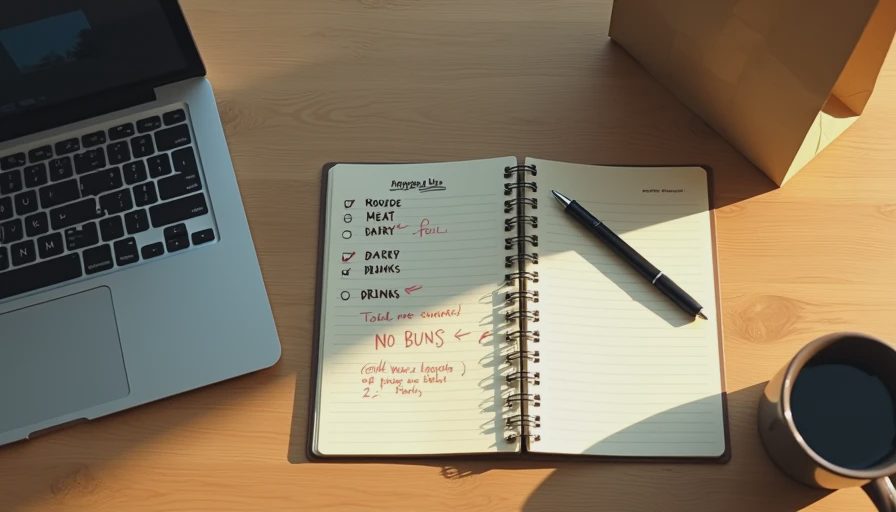
The Task
We were having another family over for a Saturday barbecue.
That's eight people total: my wife and me, our two kids, and another family with two kids. Casual. Burgers, hot dogs, sides, drinks. Nothing fancy.
I usually write the shopping list by hand. It takes about 15 minutes. I always forget something—napkins, ice, or the buns. I've made three trips to the store on a single Saturday more than once.
So I tried an AI tool this time. I wanted to see if it could produce a complete list and maybe save me a trip.
The Setup
Tool: One general-purpose AI assistant (free tier)
Date: October 18, 2026
Task: Build a shopping list for a backyard barbecue for 8 people (4 adults, 4 kids)
Input I provided: A short description of the event, the menu, and the number of people
What I wanted: A complete list with quantities, organized by store section
My baseline: 15 minutes (my normal time for this list)
The Prompt
Here's what I typed.
"Build a shopping list for a backyard barbecue. 8 people total: 4 adults and 4 kids. Menu: burgers, hot dogs, veggie burgers, potato salad, coleslaw, chips, salsa, watermelon, lemonade, beer, and soda. Include quantities. Organize by store section: produce, meat, dairy, pantry, drinks, and other. Keep it simple. No fancy ingredients."
The Result
The AI returned a list in about 9 seconds.
It was organized by section. The quantities looked reasonable. The list was about 40 items.
Here's what it got right:
The main quantities were close. 12 burger patties, 16 hot dogs, 4 veggie burgers. That's roughly what I would have bought.
The produce section was complete. Watermelon, onions, tomatoes, lettuce, lemons.
The pantry section caught the things I usually forget: napkins, paper plates, aluminum foil, trash bags.
Here's what it got wrong:
It forgot ice. Completely absent from the list.
It forgot buns. It listed burger patties and hot dogs but no buns.
It over-ordered watermelon. It suggested two large watermelons for 8 people. One would have been plenty.
It listed "beer" without a quantity. Just the word.
It put "soda" in the produce section by mistake. Small error, but it made the list harder to use.
The Corrections
I spent about 8 minutes fixing the list.
2 minutes: adding ice and buns
1 minute: reducing the watermelon quantity
2 minutes: filling in the beer quantity (I knew what we needed)
1 minute: moving soda to the drinks section
2 minutes: reading the list against my kitchen and confirming nothing else was missing
Total time from start to finish: about 13 minutes.
My baseline was 15. So the AI version saved about 2 minutes. That's not much. But the AI version also caught the napkins and foil, which I usually forget. That saved at least one return trip to the store. If I value that trip at 15 minutes of driving and shopping, the real savings were closer to 17 minutes.

What I Learned
A few things stood out.
The AI is good at categories, bad at the obvious. It listed things like aluminum foil and paper plates that I often forget. It forgot buns and ice, which are the most basic items at any barbecue. I don't know why. Maybe it assumed those were already in my kitchen. Maybe it just missed them.
Quantities are guesses. The AI produced plausible numbers, but it doesn't know my family's appetites. Two watermelons for 8 people was double what we needed. A family with teenage boys might need more.
"Beer" without a quantity is useless. Vague entries don't help. I need to know whether we're buying one six-pack or three.
The section organization was useful. Even with one item misfiled, the produce/meat/dairy/pantry/drinks split made the list easier to shop from. I didn't have to think about which aisle to hit first.
The savings were small but real. Two minutes on the list, plus avoiding a potential second trip. Over a year of weekend events, that adds up.
What Still Needed My Attention
Even after corrections, I still did three things manually.
I checked the list against my kitchen. We had ketchup and mustard already. The AI didn't know that.
I set the beer quantity. I knew what our guests drink. The AI didn't.
I confirmed the guest count. I knew one kid has a dairy allergy. The AI didn't. I had to make sure the potato salad we bought didn't contain dairy or that we had an alternative.
The Verdict
Kept, with a specific use case. I'll use AI for the first pass on shopping lists for casual events. It helps me remember the small items. But I'll always check the list for the obvious items (buns, ice), the quantities, and any guest-specific needs.
Baseline note: My baseline was 15 minutes. The AI version took 13 minutes plus 8 minutes of correction (though part of the correction overlapped with what I would have done anyway). Real net savings: about 2 minutes on the list, plus the avoided trip. That's roughly 17 minutes in total, or just over 10% of my Saturday setup time.
The Limitation
This test used one event with one menu.
A different menu might produce different results. A larger event might require more careful quantity planning. A menu with dietary restrictions might produce more mistakes.
The bigger limitation is that the AI doesn't know my family. It doesn't know my kids won't eat coleslaw. It doesn't know my wife prefers veggie burgers over beef. It doesn't know what's already in the pantry. Those details matter for every list, and the AI won't have them unless I type them in.
Test it in real life.
No comments yet.