The Problem with Most AI Drafts
I asked an AI tool to draft a short email to a vendor.
What I got back used the word "leverage" three times. It said "circle back" in the second sentence. It opened with "I hope this email finds you well" and closed with "Thank you for your prompt attention to this matter." The email was 210 words long. My version, written by hand, was 90.
The information was correct. The tone was useless.
This is the most common problem I run into with AI drafts. Not accuracy. Not structure. Tone. The AI writes like a corporate brochure, and I need it to write like a person at a desk.
So I changed how I prompt. Here's the structure I use now.
The Setup
Tools tested: ChatGPT, Claude, and Gemini (all free tiers)
Date: October 6, 2026
Task: Draft a short internal update email to my team about a revised shipping schedule
What I wanted: Plain language, direct, under 120 words, no corporate filler
My baseline: About 8 minutes (writing this email type by hand)
I tested three prompt structures on the same task. Then I compared the outputs.
The Three Prompt Structures
Structure 1: Basic. "Write an email to my team about the revised shipping schedule."
Structure 2: Constrained. "Write an email to my team about the revised shipping schedule. Under 120 words. No corporate jargon."
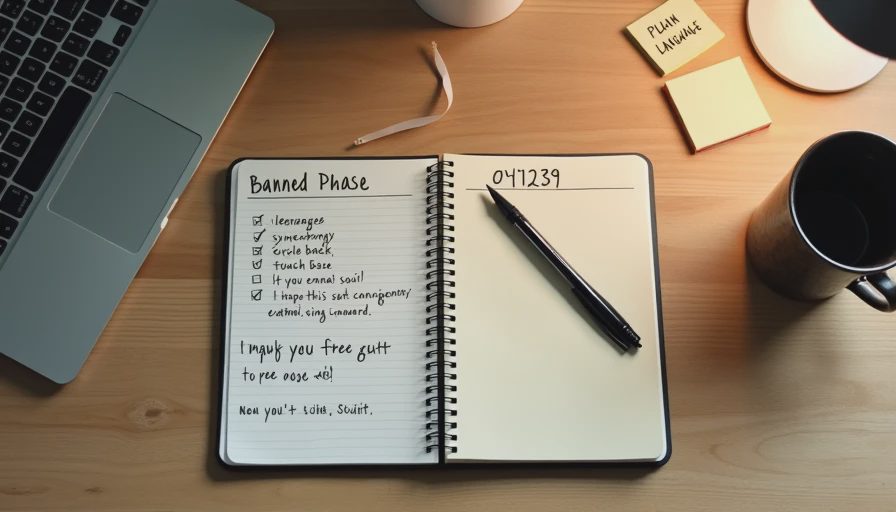
Structure 3: Structured with banned phrases. "Write an email to my team about the revised shipping schedule. Under 120 words. Plain language. Do not use any of these phrases: leverage, synergy, circle back, touch base, at your earliest convenience, I hope this email finds you well, moving forward, reach out. Write like a person explaining something to a coworker."
The Results
Here's what each structure produced.
Structure 1 output: 210 words. Used "leverage" twice and "circle back" once. Opening was "I hope this email finds you well." No specific details about the shipping change. Vague.
Structure 2 output: 145 words. Still used "moving forward" and "reach out." Opening was still the same generic line. Had one specific detail.
Structure 3 output: 105 words. No banned phrases. Opening was direct: "The shipping schedule has changed." Included the new dates and the reason for the change. Read like a person wrote it.
I spent about 6 minutes editing Structure 1. About 4 minutes on Structure 2. About 90 seconds on Structure 3.
What Made the Difference
A few specific things.
Banned phrases work. When I listed the exact phrases I didn't want, the AI stopped using them. That sounds obvious. It isn't. Just saying "no corporate jargon" wasn't enough. Saying "do not use these eight phrases" was.
The example of plain speech helped. Adding "write like a person explaining something to a coworker" changed the output more than "plain language" did. The AI needed a comparison, not an abstraction.
A word limit forces specificity. At 210 words, the AI filled space with filler. At 105 words, it had to choose. The shorter output was more specific, not less.
The opening line is the hardest part. Every structure produced a weak opening. I rewrote the first sentence in all three tests. That's a place where human judgment still beats AI.
What Still Needed My Attention
Structure 3 was the best, but it wasn't finished.
The opening sentence. I rewrote it in all three versions. "The shipping schedule has changed" was fine, but I made it sharper: "Heads up—the shipping schedule moved."
The tone for my specific team. My team doesn't like exclamation points. The AI used one. I removed it.
The specific dates. The AI included "next week," which I had to replace with actual dates. It didn't know our calendar.
The signature. The AI signed it "Best regards," which is fine, but I always sign internal emails with just my first name.
The final read. I read it out loud before sending. That's a check I always do.
The Prompt Structure I Use Now
Here's what the final structure looks like. I use this for any internal draft.
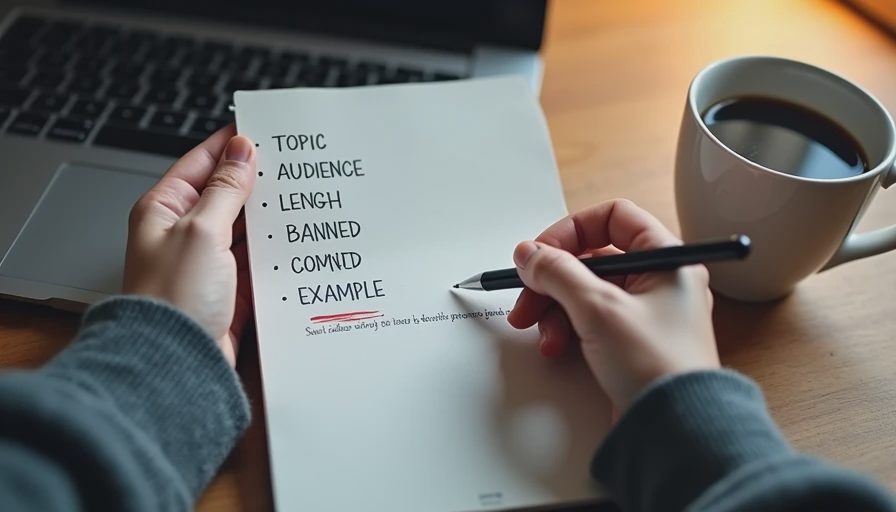
Line 1: What the email is about. One sentence.
Line 2: The audience. Who is this for? How do they talk?
Line 3: The word limit. Be specific. Under 120 words, not "brief."
Line 4: The banned phrases. List the exact phrases. Don't say "no jargon." Name the jargon.
Line 5: The comparison. "Write like a person explaining something to a coworker." Or "write like a vendor updating a client." The comparison changes the tone more than any other line.
Line 6: The example. If I have a past email that worked, I paste it. If I don't, I describe one in two sentences.
Six lines. Takes about 40 seconds to write. Saves me 5-7 minutes per draft.
What I Don't Do
A few things I've learned to avoid.
I don't ask for the subject line in the same prompt. The AI writes worse subject lines when it's focused on the body. I do the subject line separately, after the body is done.
I don't trust the AI with tone on external emails. For anything going to a vendor or a customer, I still write the first draft by hand. AI drafts are fine for internal, but external emails need my voice.
I don't paste confidential names or numbers. The prompt is generic. The specific details get added after the draft is done.
I don't send the first output. I always do one edit pass. Even when the draft looks good, I read it out loud.
The Limitation
This structure doesn't fix everything.
It works for short internal emails and simple updates. It doesn't work for sensitive messages—performance feedback, escalations, or anything where tone carries risk. For those, I write by hand.
It also doesn't solve the AI's biggest weakness: it doesn't know my relationship with the reader. If I'm emailing someone I've worked with for years, I can be more casual. If it's a new team member, I should be more careful. The AI can't tell the difference.
And the banned phrase list has to be updated. New corporate jargon appears every year. I keep a running list in the same notebook where I track tests. Whenever I catch a new phrase I don't want to see again, I add it.
Test it in real life.
No comments yet.